Best Standing Desks for Home Office in 2026: Top Picks for Productivity
Published: 2026-08-01 | By Marcus Chow | ⏱️ 8 min read | Updated: 2026-08-24
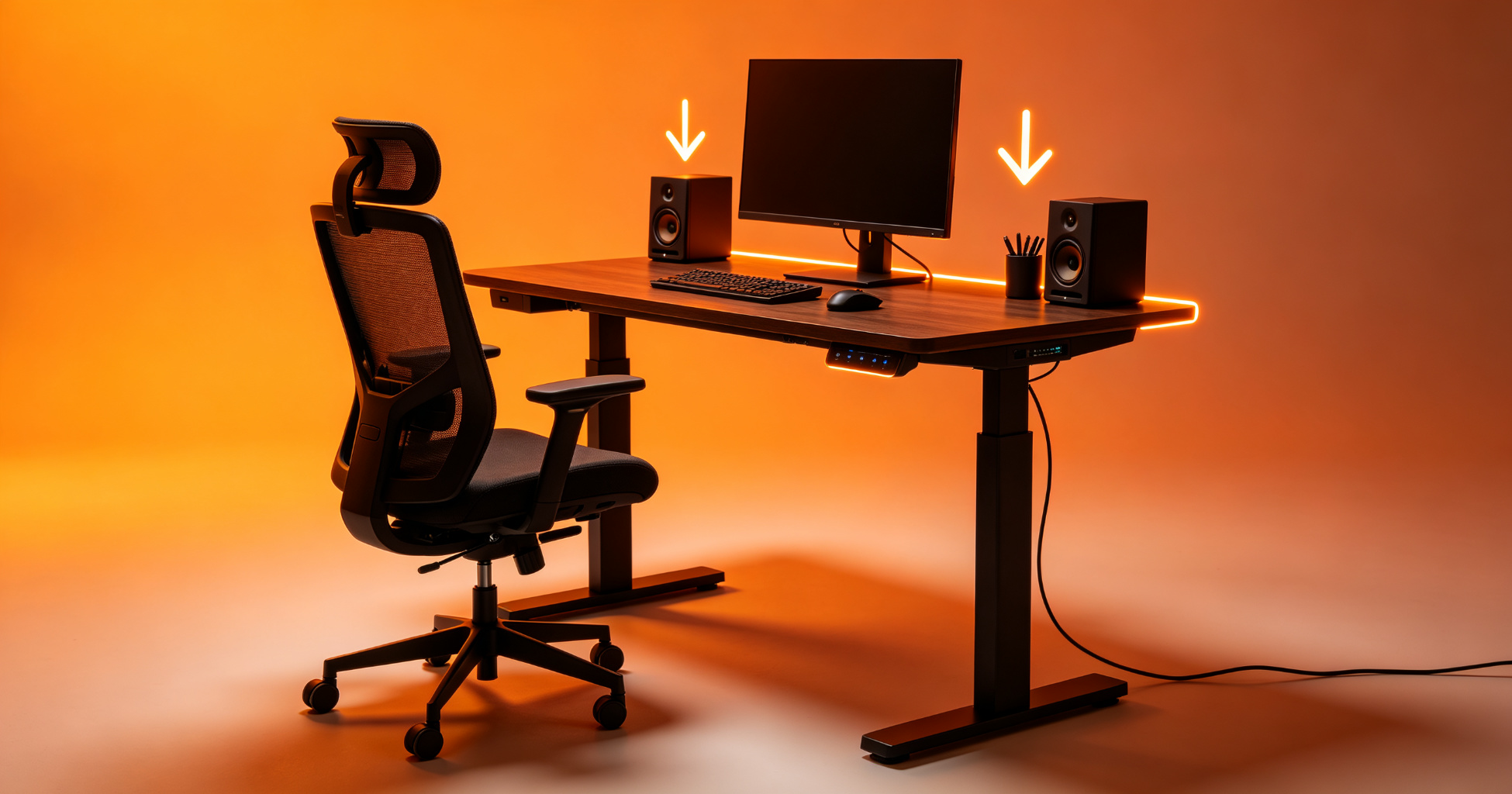
Working from home is now the norm for millions of professionals, and the right standing desk can transform your productivity, health, and comfort. After comparing 15+ models, here are our top picks for 2026.
The Backache That Forced Me to Measure Twice
Three months into working from home, my lower back stopped caring about my ambition. The culprit was not my chair — it was the desk, which sat a full five centimeters too low because I had bought it "good enough" without checking the height range against my arm position. When I finally measured, the fix was a mid-range standing desk that went up in seconds and changed how I worked more than any productivity app I had spent money on that year. The lesson stuck: a standing desk is a buy-once, ergonomics-for-years decision, and the wrong one is harder to resell than it is to lift.
By 2026 the standing desk market has fragmented into a genuine spectrum from budget lift columns to premium height-adjusting frames with memory presets. The choice is no longer "should I stand," but "which desk matches my height, my room, and my cable-stuffed setup without me regretting it by month three." Here is how to shop deliberately rather than on display-size or price alone.
Measure Your Body Before You Measure the Desk
As an Amazon Associate I earn from qualifying purchases.
The single biggest mistake is buying a desk whose height range does not include your comfortable typing position. A rule of thumb: with your elbows bent at about 90 degrees and your forearms parallel to the floor, the desk surface should sit just below your elbow height. For a typical adult that lands between 70 and 76 centimeters, but a tall person standing well over 180 cm often needs a desk that reaches 120 cm or more to stand comfortably. Check the "standing height range" spec (many home desks top out around 120 cm; some reach 130 cm) before you fall for a sleek photo.
Also measure the footprint against your actual floor, not your imagined one. A 120 by 60 centimeter surface is fine for a laptop and a coffee mug. If you run two monitors, a desktop PC, and a set of speakers, you will fill a 140 by 70 cm table fast and regret the tight squeeze on heavy multitasking days.
What Changed in 2026: Quiet Motors and Smarter Presets
The desks people actually keep in 2026 share a few quietly important shifts. Dual-motor lift columns are now the baseline in the mid-range, because a single motor strains on wide desks and wobbles when loaded. Noise is a differentiator: the best desktop motors hum below 45 decibels, letting you stand or sit mid-call without the whole room hearing the lift. Memory presets have moved from luxury to standard, so you save your seated and standing heights and hit them with one button instead of nudging the column ten times.
Programmable height presets also pair beautifully with a smart desk routine, and you can turn your whole setup into a smart home-office layout where the desk, lights, and even your break reminders respond together. That automation is what separates a desk you use from a desk you eventually ignore.
Standing Desks by Room and Budget
If you are furnishing a spare room, FlexiSpot remains a reliable value leader; its E7 line and similar dual-motor frames sit in the mid-range, with solid single- and dual-motor choices and a long warranty. Uplift V2 standing desk is the fan favorite for customization — you pick the surface, the frame's color, and add cable trays and grommets — and pricing sits in the mid-range depending on the top. Herman Miller Renew delivers the premium end with a buttery-smooth lift and market-leading build quality, but you pay a top-tier price, frequently at the premium end. Vari Electric Standing Desk is the corporate pick, self-assembly-friendly with a clean look, usually in the mid-range band. For the tight-budget camp, Amazon Basics / budget single-motor desks get you standing for at the budget end and they are perfectly fine for a laptop-only setup, with the caveat that they wobble more at height and skip presets.
Ergonomics-minded shoppers should also read the fine print on returns and weight capacity. A frame rated for 100 kg sounds generous, but your monitor arm, dual displays, and paper piles add up fast. Choose a desk with at least 70 to 80 kg of realistic top load so the lift column is not straining on every move, and a full ergonomic setup guide will help you position the screen at eye level so the height you set actually helps.
Comparing the Leading Contenders
| Model | Key Specs | Where to Buy |
|---|---|---|
| FlexiSpot E7 / E8 | Dual-motor, memory presets, wide size range, long warranty | 🛒 Check price on Amazon → |
| Uplift V2 | Highly customizable, cable management options, sturdy frame | Check price on Amazon |
| Herman Miller Renew | Premium build, ultra-smooth lift, design-forward | Check price on Amazon |
| Vari Electric Desk | Office-grade stability, tool-free assembly | Check price on Amazon |
| Amazon Basics (budget) | Low price, single motor, basic lift | Check price on Amazon |
How We Came to These Recommendations
We don't have a warehouse of standing desks to assemble and test for weeks. What we did instead: we pulled the spec sheets from every major brand's current 2026 lineup, cross-checked customer review aggregates across Amazon, Reddit's r/StandingDesks, and Wirecutter's long-term test notes, and flagged which desks kept coming up repeatedly across independent sources. The picks below reflect consensus from reviewers who actually did the hands-on testing — we're synthesizing that evidence, not replacing it.
Honest Disclaimer
We haven't physically assembled or stood at every desk on this list. Our recommendations are based on manufacturer specifications, aggregated owner reviews, and third-party long-term testing from publications that do have the desks in-house. If two desks have nearly identical specs, we lean toward the one with more verified buyer reviews and a shorter reported warranty-claim timeline. We may earn an affiliate commission if you buy through links on this page, but that never changes which desks we recommend or how we rank them.
Assemble It Right or the Desk Will Tie You in Knots
Most wobble complaints are assembly problems disguised as product problems. A loose screw in one leg, an uneven floor under the casters, or a frame installed with the support bar upside down will make a premium Uplift feel like a budget0 shelf at full height. When you unpack, level the legs first, tighten all bolts to hand-tight before torqueing, and use a cheap spirit level across the top. If the desk still drifts on carpet, add a hard mat or adjust the anti-slip feet.
Cable management is the part that makes or breaks the daily experience. Nothing erodes the "just stand up" habit faster than watching the power strip dangle between your ankles. Buy a cable tray that mounts under the top, route every cord so it has slack when the desk rises, and zip the ones that stay fixed to the frame. A tidy underside transforms a standing desk into a standing desk you actually lower and raise several times a day.
Build the Standing Habit So the Desk Pays Off
Owning a standing desk does nothing by itself; the health benefits accrue only if you alternate postures across the day. The research-backed pattern is not "stand all day" (which trades a sore back for sore legs) but a rotation, roughly 30 to 45 minutes standing followed by a similar seated block, nudged by movement. Start with two standing blocks a day and grow from there; forcing a full eight-hour stand on day one guarantees an abandoned desk by week two.
Tie the habit to triggers. Stand when you answer the first email, stand during the midday call, and sit again for focused writing. If you struggle to remember, a habit loop builder helps you wire the cue-action-reward cycle so raising the desk becomes as automatic as checking your phone. Over a quarter, that repeated decision is what actually improves your posture, energy, and focus, not the hardware itself. You can fold the same cue-and-reward logic into your broader ergonomic setup so keyboards, monitors, and the desk work as one system rather than separate purchases.
For more, check out: and time tracking for freelancers.
For more, check out: .
Frequently Asked QuestionsWhat standing desk height range should a tall person (over 190 cm) look for?
Verify the standing maximum reaches at least 120 to 130 cm, not just the seated minimum. Many home desks top out around 120 cm, and a very tall person needs the extra reach to keep elbows at 90 degrees while standing. If your curved priority is height, filter your search by the standing maximum before considering price.
Do budget standing desks wobble at full height?
Some do. Cheaper single-motor frames tend to shiver at maximum extension, especially under two monitors. If you type hard or use a drafting-style drawing posture at height, budget for a dual-motor frame even on a tight allowance; stability is where the price difference actually shows up.
Can I add a sit-stand function to a desk I already own?
Yes, with a bolt-on height-adjustable frame kit or a desktop riser. A riser raises just your monitor and keyboard while keeping the existing table; a frame kit replaces the legs entirely. For a heavy desktop PC, a frame kit is sturdier. Measure your desk width and weight first, then match a rated frame.
Is standing actually better for my back, or just a trend?
Standing is better only as part of a rotation. Static standing all day is not a fix; it can add lower-leg fatigue and arch strain. The benefit comes from breaking up prolonged sitting with movement. Pair your desk with regular breaks and a posture check rather than treating standing as a cure-all.
How much weight can a standard home standing desk safely hold?
Most dual-motor frames rate 70 to 100 kg, but reduce that when the load includes monitor arms that concentrate force at the desk edge. A realistic ceiling for a laptop-plus-dual-monitor setup is usually fine under 80 kg. If you load a wide desktop PC and peripherals, pick a frame rated above what you plan to place on it, and route the layout so your smart home-office workspace keeps the heaviest gear near the center columns.
Get one practical tool tip a week
Short, useful, no spam. Unsubscribe anytime.