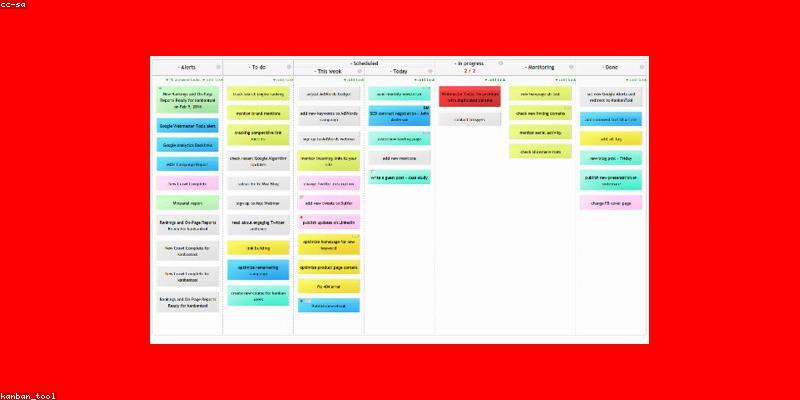
The Kanban Board That Took Over My Google Sheet
I spent a year running projects in a Google Sheet with color-coded cells pretending to be columns. It worked until the day my team hit eleven active tasks and the spreadsheet stopped being a board and became a chore. The moment I moved to a real kanban tool, the friction vanished — not because kanban is magic, but because a purpose-built board removes the meta-work of "updating the spreadsheet" so the board reflects reality instead of your memory of it. Kanban board tools are now so mature and so cheap that the real challenge is no longer "should I use one" but "which one, and what am I actually paying for?" This article answers that question with a comparison of the tools that genuinely matter, the pricing traps, and the habits that make or break a board regardless of brand.
Before the Board: The Three Things Kanban Must Do for You
Every kanban tool is a column of columns, so what separates a good one from a glorified checklist are three capabilities you should test before you commit:
- Work-in-progress (WIP) limits: the board should let you cap how many cards sit in each column, exposing bottleneck queues instead of hiding them in a tidy-looking backlog.
- Context without clicks: cards should carry descriptions, checklists, attachments, due dates, tags, and assignees so you can act without opening seven other apps.
- Flow visibility: you need to see not just where things are now, but how work moves over time — cycle time, blockages, throughput — or you're running a to-do list with a prettier paint job.
If a tool is missing one of these, it is probably fine for a personal task list but wrong for real team workflows. Most "kanban boards" in notes apps are exactly that: shopping lists wearing a board costume.
How the Major Kanban Tools Stack Up in 2026
There is no single best kanban tool — there is the right tool for your team size, your budget, and whether you need the board standalone or inside a bigger project suite. Here is the honest comparison, with real pricing.
| Platform / Tool | Key Features | Pricing |
|---|---|---|
| Trello | Cards, lists, checklists, Power-Ups for automation and integrations, simple and approachable, great for small teams and personal boards | Free (unlimited cards, limited Power-Ups); Standard ~$5/user/mo, Premium ~$10/user/mo |
| Jira | Enterprise-grade boards, sprint management (Scrum/Kanban), rich reporting, extensive issue types and workflows | Free for up to 10 users (limits apply); Standard ~$7.75-8/user/mo |
| Asana | Boards plus list/timeline/calendar views, goals, rules-based automation, solid team collaboration | Free (basic); Starter ~$10.99/user/mo, Advanced ~$24.99/user/mo |
| Monday.com | Highly visual boards with many view types, automations, integrations, strong for non-technical teams | Free for 2 users (limited); Basic ~$10-12/seat/mo annual |
| Notion | Database-view boards inside a docs-and-wiki workspace, flexible and customizable, kanban as one view among several | Free for personal; Plus ~$10/user/mo |
| GitHub Projects | Board and roadmap views tied to issues and PRs, ideal for software teams already on GitHub | Free for public repos and small plans; premium tiers for large orgs |
That table is the product landscape, but the number that matters for your decision is rarely the sticker price — it's the per-user annual cost once you count the whole team and the automation tier you actually need. Trello's "$5/user" and Asana's "$10.99/user" look close, but multi-seat annual spend plus required tier can double that gap in practice.
The Cost Trap: Paying for Seats and Automation You Don't Use
Kanban tools charge per seat, and the seat math is where most overspending happens. Three rules protect your budget:
- Audit seats quarterly. Every license is a line item; a tool you pay for but five of ten team members never open is pure waste. Reallocate before renewing.
- Match tier to need. Many teams pay for a premium automation tier because one member wants a fancy trigger. Count how many users actually need automation; put the rest on the free or cheaper tier on the same board.
- Test the free plan under real load. Run your actual workflow on the free tier for two weeks before upgrading. If the bottleneck is a real feature (WIP limits, guest seats, reporting), upgrade for that feature — not for "the pro look."
A useful mindset shift: a kanban tool is infrastructure, and infrastructure spending should track real usage, not optimism. Empty seats and unused automation are the same as paying for a server nobody deploys to.
Board Hygiene: The Habits That Keep a Board Honest
Every kanban board decays into a graveyard for the same reasons: nobody owns card hygiene, the backlog grows unbounded, and WIP limits go ignored because "everything is in progress." The habits that separate working boards from pretend ones are cheap and boring:
- Define "Done" once, in writing. A column that means different things to different people is a coordination tax built daily. Write the definition of done and pin it to the board.
- Cap the backlog. A backlog with 400 cards is a wish list, not a queue. Prune it at a weekly or monthly cadence, closing or deferring anything not genuinely next.
- Enforce WIP limits as a rule, not a suggestion. When columns overflow, stop adding — resolve the bottleneck instead of stacking cards like a leaking dam.
- Run a daily stand-up look, not a weekly cleanup. Thirty seconds a day reading the board top-to-bottom catches mislabels and stalls before they fester.
If your board becomes a place people "check at the end of the week," the tool isn't the problem — the discipline is. A kanban tool is a mirror; the mirror only helps if you look at it.
When Your Kanban Needs Brains, Not Just Columns
Once your board is running smoothly, the natural next step is to stop feeding it manually. Automations that move cards on status change, create cards from a form or an email, or flag overdue items save the exact kind of busywork that makes people abandon boards. Two complementary upgrades:
- Rules and automations: native or add-on triggers (Trello Butler, Asana rules, Monday automations) that handle the mechanical movements.
- AI-assisted capture and triage: modern boards can draft cards from a sentence, suggest priorities, or summarize a column's status weekly — offloading the thinking part of board maintenance, not just the clicking.
The goal is to make the board effortless to update, because a board that is costly to maintain is a board that gets abandoned — and the people most likely to keep it alive are those who already keep smart notes every day rather than treats notes and boards as separate chores. If AI moves that bar for you — summarizing statuses or drafting card descriptions — it is worth investigating, and is exactly where that intersection currently lives.
Picking Your Board: A Mini Decision Tree
Here is how I would route a real decision, based on who you are:
- Solo or tiny team, simple projects → Trello free, or Notion if you already live there. Don't over-engineer.
- Cross-functional team, needs project + tasks together → Asana or Monday.com, whichever interaction model your team prefers.
- Software engineering team → Jira, or GitHub Projects if you're already all-in on GitHub.
- You want the board inside a full docs/notes/knowledge system → Notion's database views, accepting that kanban is a feature, not the product.
Notice the common thread: the decision is driven by the context you already live in, not by which board has the prettiest demo. The most expensive mistake is adopting a tool that requires your whole workflow to be rebuilt around it. Your board should slot into how you already work, and building better tracking habits alongside, plus treating the board as a linked reference layer in a broader notes ecosystem, makes the whole system coherent instead of islands of tools.
For more, check out: .
For more, check out: and .
Frequently Asked Questions
Is a kanban board worth it if I work alone?
Yes, but keep it simple. A lightweight board (Trello free, or even a kanban view inside a notes app) gives you visual workflow, WIP limits, and a place to see everything at a glance — none of which require a second user. The solo risk is over-engineering: skip the team features, automation tiers, and permissions, and use the free plan. A solo kanban board shines at personal projects, content pipelines, and personal task batching. If it starts feeling like overhead, that is a sign to slim the columns, not to add features.
What's the difference between Trello and Jira, and which should I pick?
They sit at opposite ends of the spectrum. Trello is a simple, visual, cards-and-lists tool that's easy to adopt and great for small teams and general work; free tier supports unlimited cards with limited Power-Ups, and it scales up to ~$10/user/mo for premium automation. Jira is an enterprise-grade project tracker built for software teams — sprints, robust reporting, complex workflows — with a free tier for up to 10 users and standard pricing around $8/user/mo. Choose what matches your complexity: if you're a product or engineering team shipping regularly, Jira's tracking helps; if you're a small team just needing a visual board, Trello is faster and cheaper to run.
Do WIP limits actually matter, or are they optional?
WIP limits are the single most underrated feature in kanban, and skipping them is the reason many boards collapse. A board without WIP limits lets everyone mark everything "in progress," which hides bottlenecks and turns the board into a status theater. Limiting work in progress forces the team to finish before starting, surfaces the pile-up at the constraint, and dramatically shortens cycle time. If your tool makes WIP limits painful, that friction is a warning sign — the feature is central to kanban methodology, not a nice extra.
Can AI or automation replace manual board updates entirely?
Automation can remove most of the mechanical effort — moving cards on status change, creating cards from forms or emails, flagging overdues, rolling up weekly summaries. The judgment stays human: what counts as "done," what deserves priority, and where the real bottleneck is. So the practical answer is that automation eliminates the busywork but not the thinking. The most effective setup uses rules for everything mechanical and keeps human judgment for the decisions. When AI does the summarizing or card drafting well, use it; just keep a human accountable for what lands on the board.
Get one practical tool tip a week
Short, useful, no spam. Unsubscribe anytime.